PCSX2 2.6.0 is now out!






Nearly six months after the release of PCSX2 2.4.0, we are excited to unveil PCSX2 2.6.0! We're even more excited to showcase the things that we have been working on.
New Year - New Build
Now that the dust has settled down from our biggest single release to date, we decided to step back a bit and give more love and attention to the interface, quality of life features and accessibility. There are also more performance improvements to be seen, which we are very excited to show you! Our contributors have been hard at work further refining the foundation that has been laid out since 2.0.0 to make PCSX2 more accessible to everyone!
Major New Features

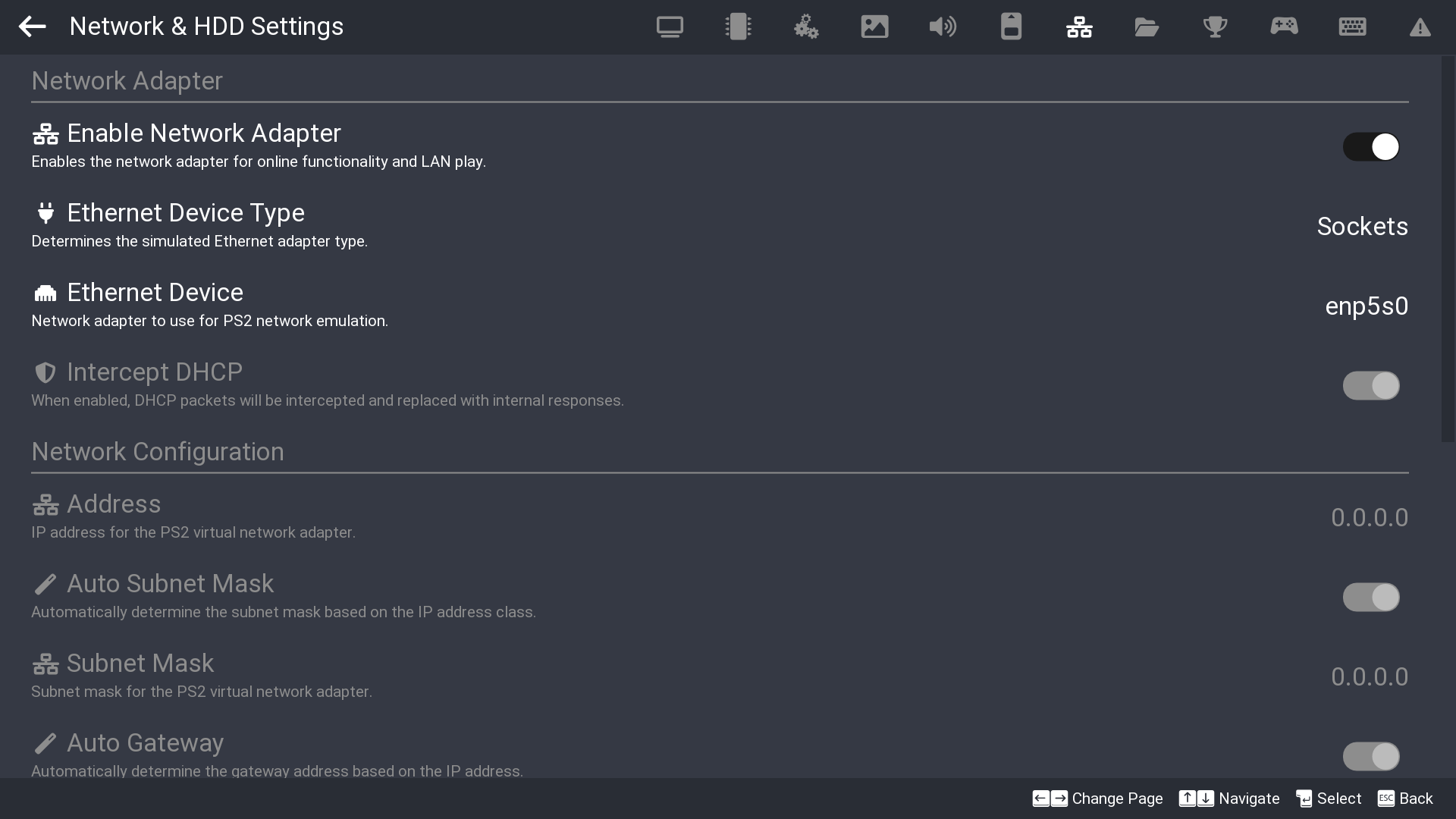
SternXD has been on a mission to achieve feature parity between Big Picture Mode and the Qt interface. Thanks to his work, you can now adjust Network & HDD Settings, create a Memory Card, as well as login to RetroAchievements directly from Big Picture Mode!
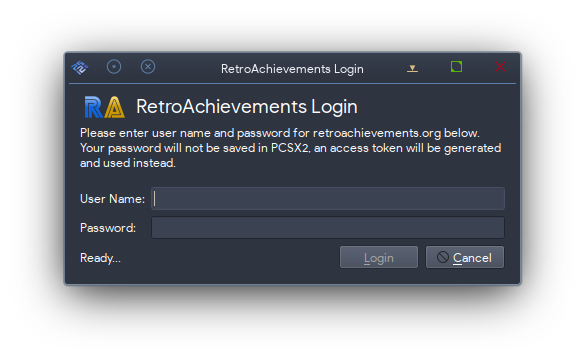
New icon for RetroAchievements Qt login dialog (#13718)
Alongside Big Picture Mode getting a new RetroAchievements login dialog, Qt's login dialog also gets a small facelift! It now shows the actual RetroAchievements icon instead of a generic login icon.

Despite having nearly 700 known NTSC-K serials, the GameDB has for a long time only had Latin versions of the titles. These titles were pulled from the NTSC-U/PAL name or from a Romaji version of the Japanese name. PCSX2 now has 100% complete Korean translation on our Crowdin (at the time of writing), a milestone which has been a long time coming. TheTechnician27 has been working on adding Korean game titles to most NTSC-K serials which did not previously have them.
If you have spotted any inaccuracies with the Korean game titles, please report such problems on our GitHub issue tracker.

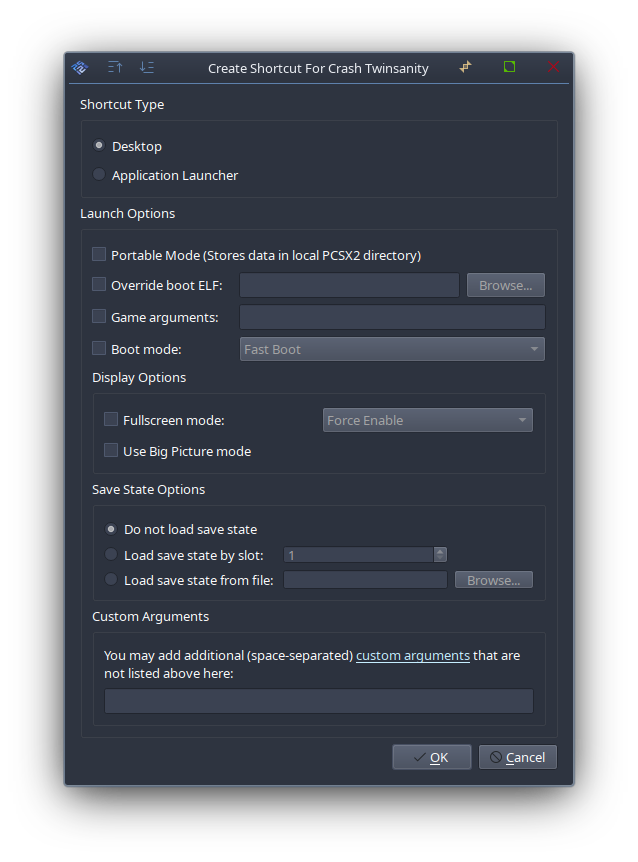
KamFretoZ set his sights on adding the ability to create desktop (or start menu) shortcuts for your games from inside PCSX2. Motivated by this GitHub issue and lots of feedback on Discord, this was a very popular ask from users!
This feature is only available for Windows and Linux at this time.
This feature can be accessed by right-clicking the game you want to make the shortcut with on the game list and selecting "Create Game Shortcut".
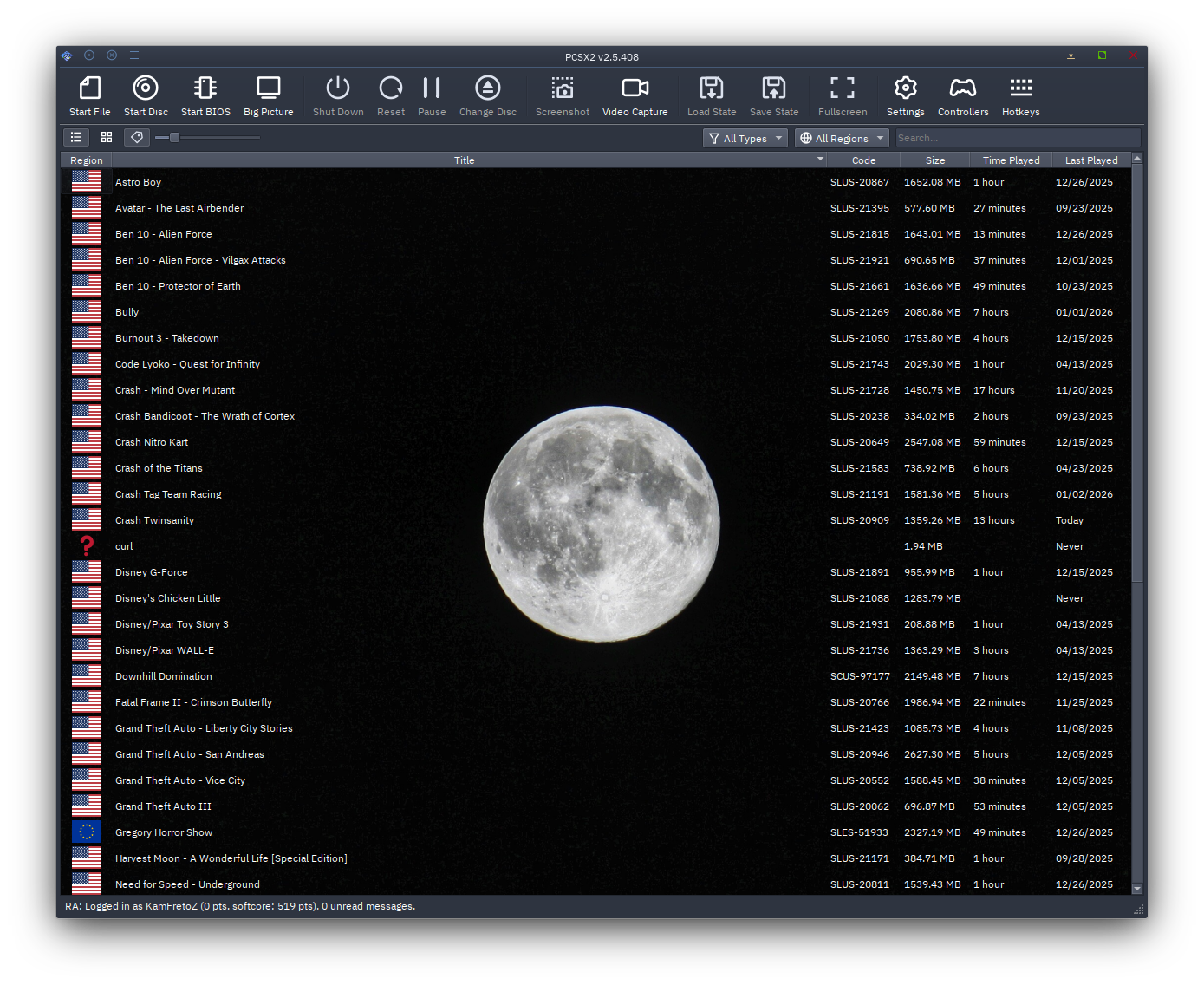
What started as a silly idea between KamFretoZ and JordanTheToast to see what's possible with Qt, ended up becoming a full blown feature. With this, you can now set a custom background (even animated ones too!) on your game list to your heart's content.
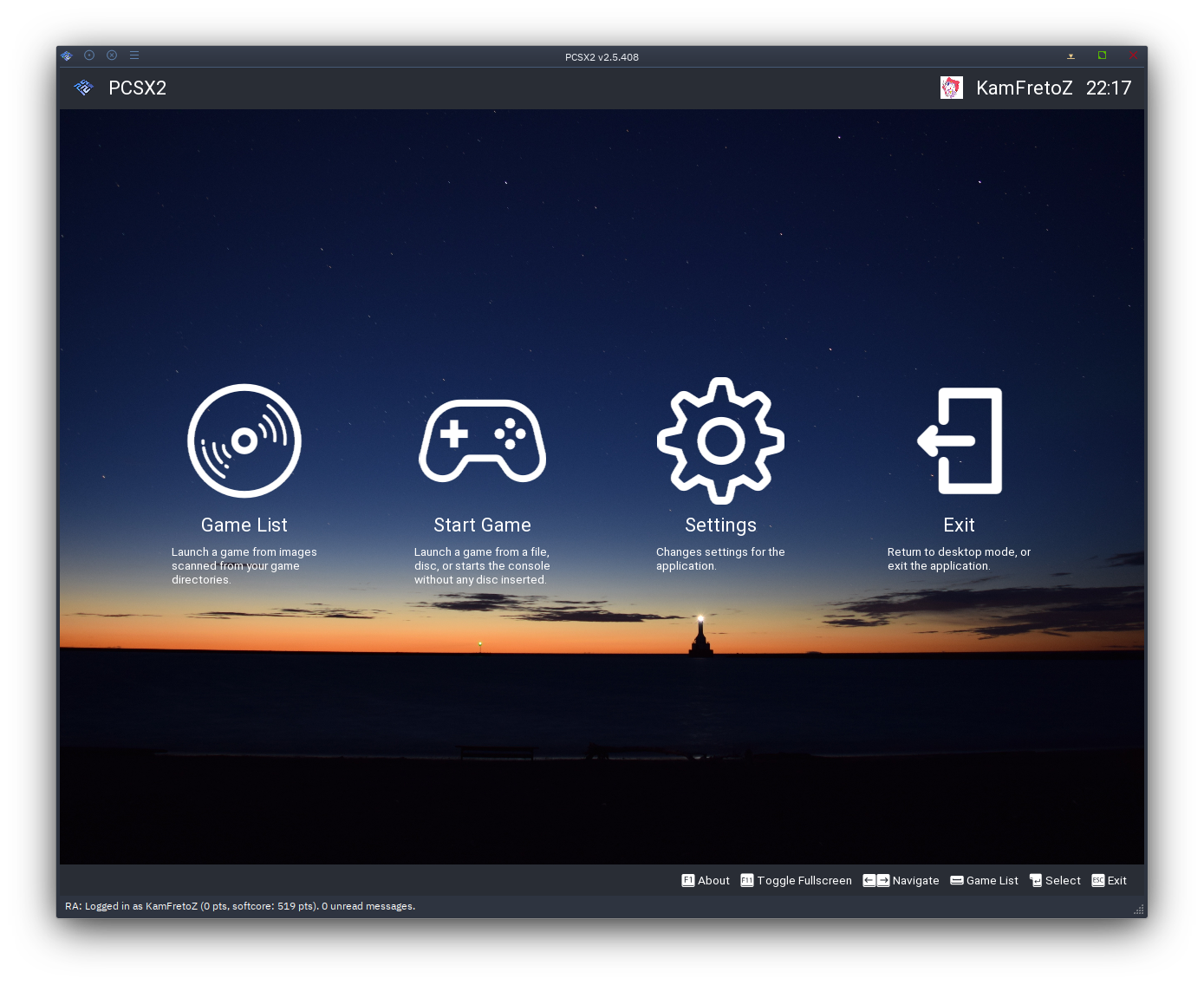

Allows emojis to be shown in Big Picture Mode and the fullscreen pause menu. RetroAchievements popups would often use emojis; these are now able to render as well.
Not all emojis are supported; this is a limitation of ImGui, the library we use for this.
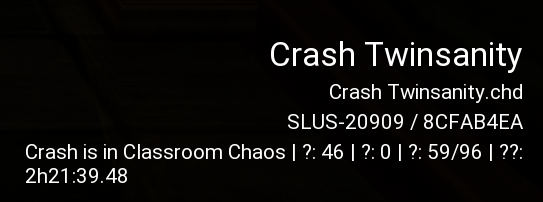
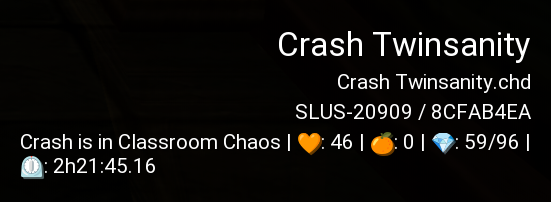
For the longest time, our Big Picture Mode UI was unable to display emoji due to limitations with ImGui. This was especially apparent when displaying emojis from certain RetroAchievements sets. Thanks to ImGui fixes and AirGamer's efforts, we have finally implemented emoji support in PCSX2's Big Picture Mode.
On a more technical level, previous version of ImGui required us to provide ranges of characters we needed. ImGui would then generate a font atlas from this. This required that we either hardcode, or generate these ranges for any languages we support in PCSX2. With ImGui 1.9.21, we can now rely on ImGui to dynamically adjust its font atlas on its own, removing the maintenance burden of fixed character ranges.
Before:
After:
Big Picture Mode Icon Refresh
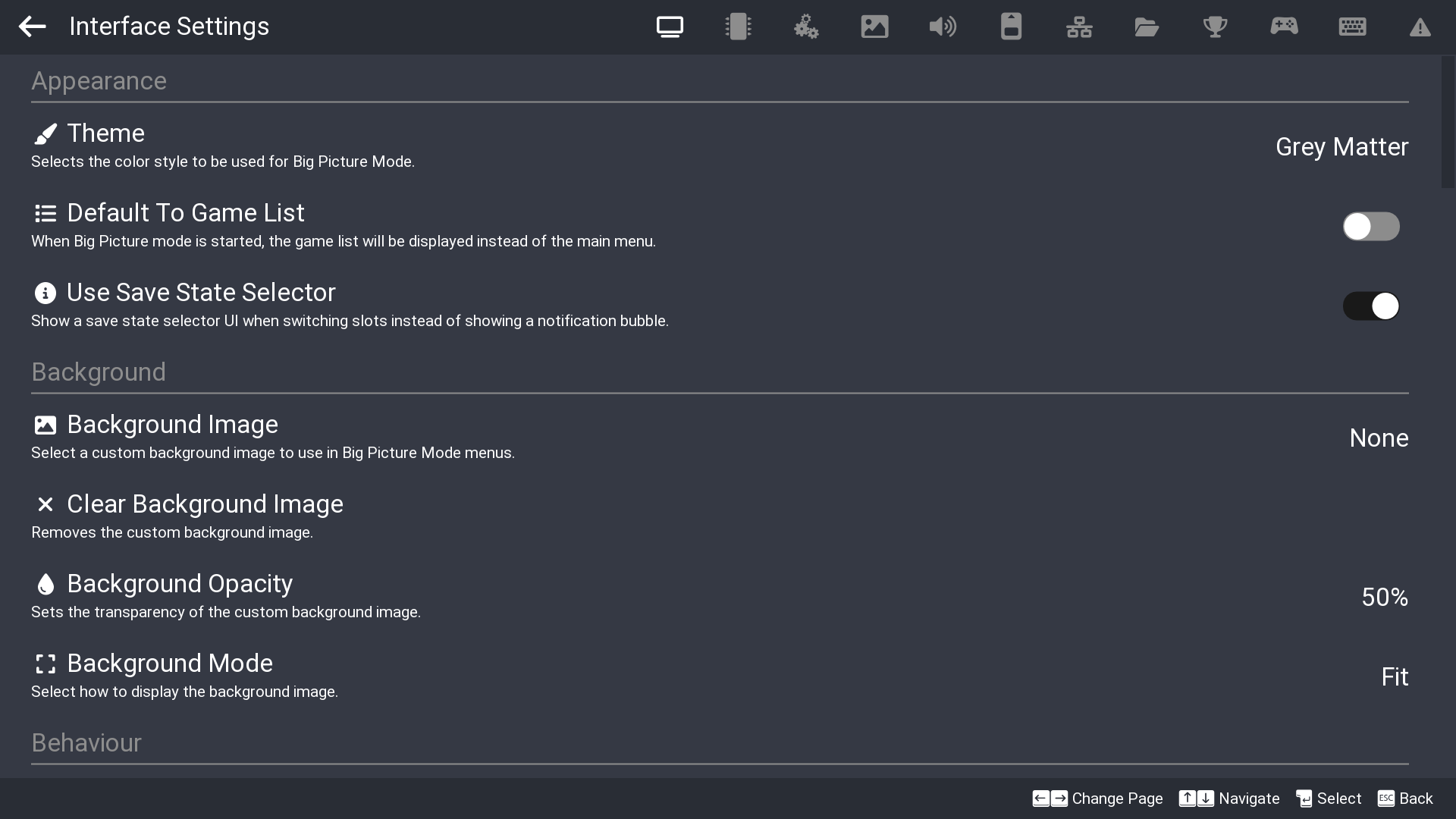
Big Picture Mode just got a small facelift! You might have noticed inconsistencies where some options had an icon while others did not. Now, every settings entry has an icon to go along with it.
Additionally, we can add emoji as icon too! 🔥
Various Blending and Hardware Renderer Improvements
Upon looking through the Direct3D12 documentation, it was found that aliased resources (two resources sharing the same memory) could be used to bind the same texture as both a shader resource and render target. This relies on the two resources being able to inherit data from each other, the requirements of which can be satisfied using simultaneous access textures.
This allows us to speed the Direct3D12 renderer up substantially, with some systems seeing over 5x improvements on specific games.
While NVIDIA and Intel Arc GPUs had no issues, lightningterror discovered that some AMD GPUs showed issues. While the Direct3D12 documentation implies that data inheritance should work even with undefined memory layouts, the texture layout needed to be specified for some generations of AMD GPUs. Once this issue was identified it was fortunately an easy fix to implement.
While reviewing the code, lightningterror spotted and fixed a regression with handling stencil DATE one.
There have also been other enhancements to the hardware renderer where games such as Enthusia gained a significant 9% improvement in Direct3D11.

Add implementation for Multidraw Framebuffer Copy for Software Blending, Framebuffer Masking, Software Destination Alpha Testing. In order to replicate the current behavior on our more accurate renderers such as Vulkan and OpenGL without the use of Texture Barriers, LightningTerror discovered that we can achieve the same accuracy with the use of Texture Copies albeit at a slightly higher performance cost compared to using barriers which Direct3D11 doesn't support. Direct3D12 does and such implementation is already implemented later on by AirGamer.
To give a bit of context why we need copies/barriers, it is because a texture cannot be bound at the same time as a render target view and shader resource view, a copy is created from the same render target so we can have two separate textures with the same data instead of using the same one which is a hazard, Vulkan and OpenGL use texture barriers that nullifies the need for a copy which allows one texture to be used for both.
To alleviate some of the performance hit, we later on added some optimizations which will be mentioned in the report.
To keep it short this makes Direct3D11/12 as accurate as Vulkan and OpenGL.
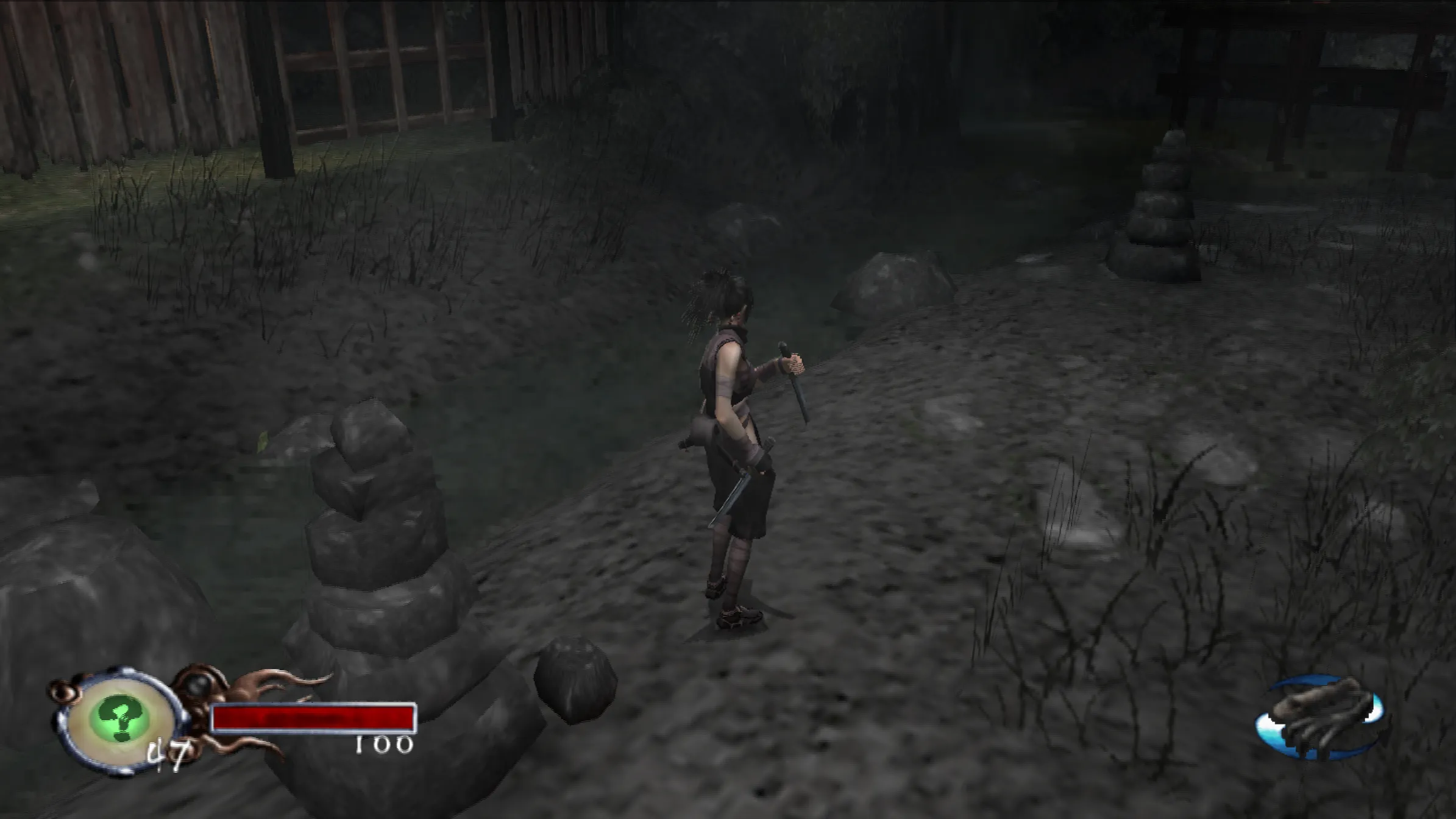
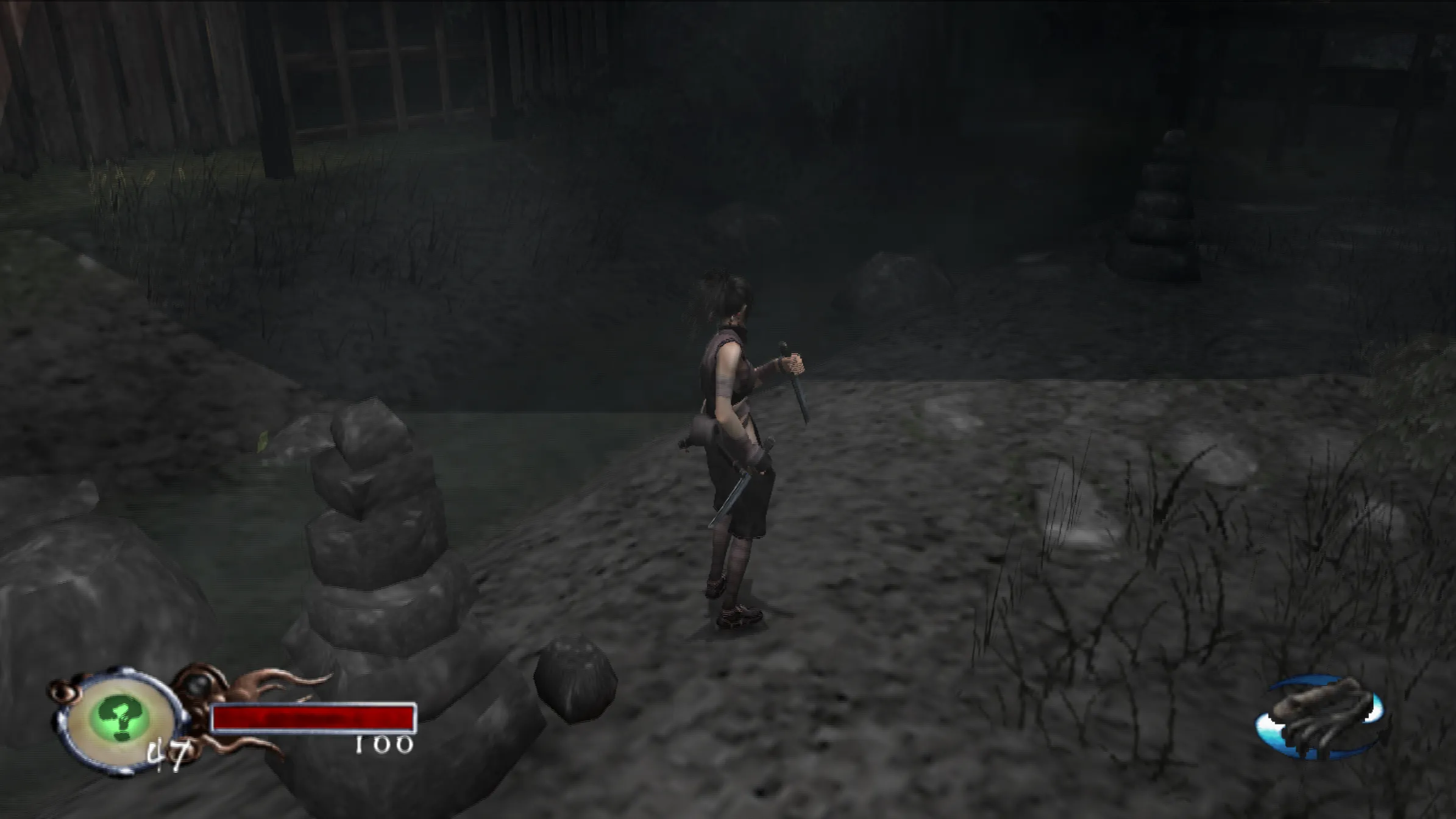
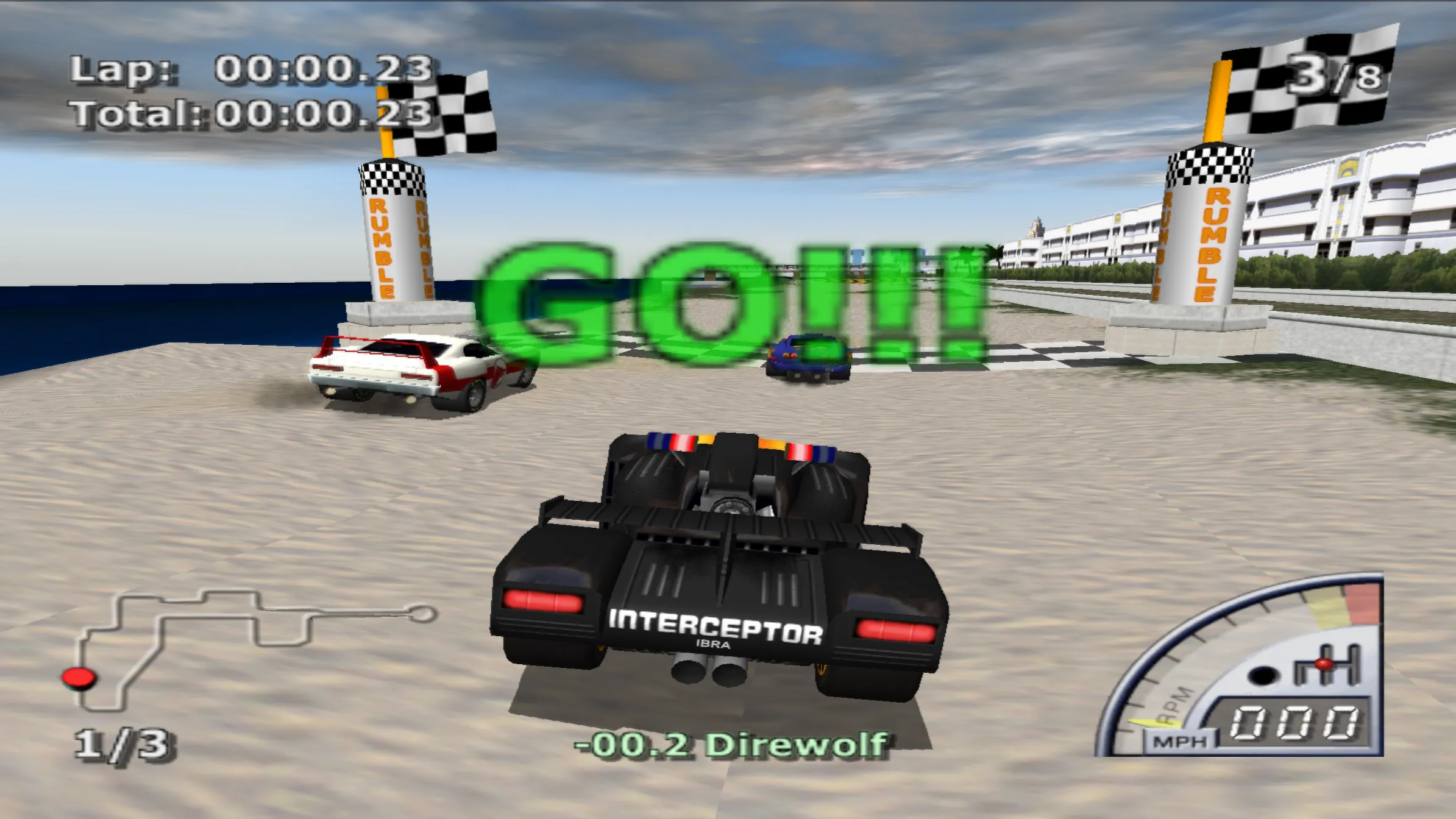
Here is some comparisons for those looking for visuals. It will be almost impossible to post all the fixes games since there are a lot, so here's just a few:
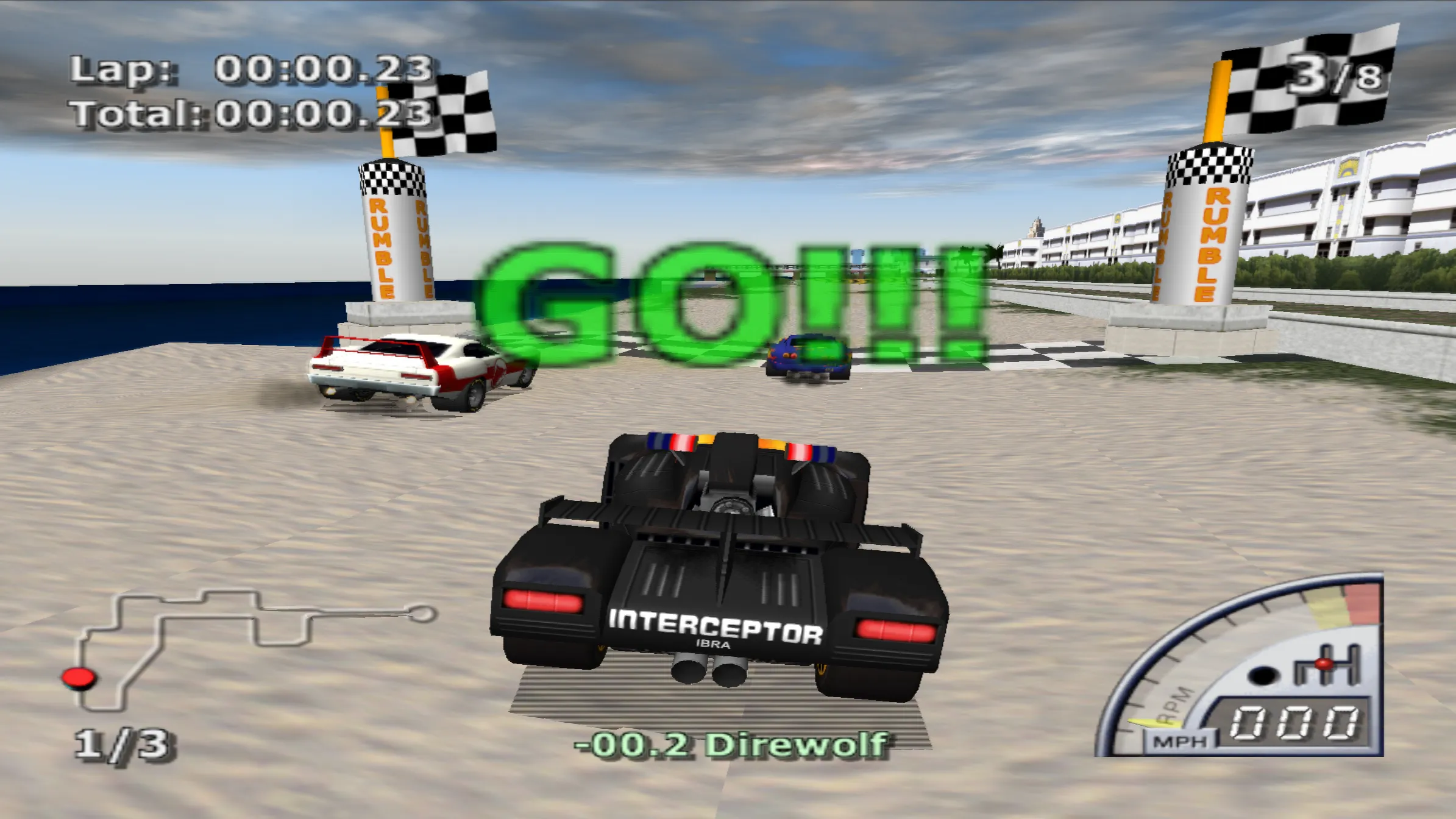
Similar to our issue with software blending, our old implementation for depth testing and sampling used copies for Direct3D11/12 to avoid the texture binding hazards being bound as a depth stencil view and shader resource view at the same time. However when we use a depth texture if we are not writing anything to the depth buffer in the case where both the source and destination texture are the same we can bind them at the same time:
-
In Direct3D11's case we create and bind a new read-only depth stencil view, simultaneously also binding the same texture and binding it as a shader resource view which allows us sampling depth in the shader, but no writing to the depth buffer which is unnecessary.
-
In Direct3D12's case we just transition the texture to be read only which also allows us to bind it both as a depth stencil view and shader resource view at the same time.
Some nice benchmarks showing the difference in cutting off the texture copies that we previously used:


In #13276 and #13298 following the implementation of software blending on Direct3D11, LightningTerror decided to improve the function itself that deals with texture copies. Some optimizations that were previously not present on OpenGL, Direct3D11 and Metal were backported from Direct3D12 and Vulkan which reduces the number of copies in some specific scenarios, and aborting invalid copies. This gave us a small boost in some games that used texture copies regardless of renderers as copies were required.


Afterwards in #13305 some ideas were floating around how to further improve copies/barriers so TJnotJT decided to take on the task, the improvements are as follows:
-
Unify and batch triangle primitives. This allows us to reduce the number of copies/barriers per draw.
-
During texture copies, only copy the region that we need, not the entire draw. This makes texture copies faster and use less VRAM on Direct3D11/12.
Why this is faster?
-
Example #1: In the first case batching means instead of issuing 5 copies/barriers for 5 triangles separately we can batch all 5 if they don't overlap each other and issue only 1 copy/barrier which is much faster.
-
Example #2: In the second case we only copy what is necessary. Previously we copied the entire draw which was much slower.


Next up in #13354, TJnotJT also implemented another optimizations which further reduces copies/barriers on all renderers:
- Added utility functions for detecting when vertices form axis-aligned right triangles or quads.
- Updated primitive overlap detection to account for pairs of triangles that together form axis-aligned quads.


But wait there's more!
A while back, we added extra barriers to fix some bugs in Time Crisis. In #13595 TellowKrinkle discovered that those barriers were getting added on all GPU vendors. Upon further inspection, it appears as an NVIDIA driver bug, rather than actual issues with our OpenGL API usage. This allowed us to cut down the barriers on OpenGL on other GPU vendors by a lot.
Here are the top 5 highest barrier reductions we have found:
WRC 4
Barriers: -6604 [13473=>6869]

Need for Speed: Most Wanted
Barriers: -2125 [4250=>2125]

James Bond 007: Agent Under Fire
Barriers: -1646 [3284=>1638]

Ace Combat 04: Shattered Skies
Barriers: -1304 [1306=>2]

Avatar: The Last Airbender
Barriers: -999 [17716=>16717]
The less barriers there are, the better
More, more!
Following the adjustments by TellowKrinkle, LightningTerror has discovered that we can further cut down the barriers on OpenGL in #13576. We do this by only issuing a barrier when we modify the previous draw call or render pass. This ensures that writes are properly ordered.
The optimization involved the case where we were issuing both a render pass and barrier. The render pass already behaves as a barrier, so we skip the barrier and only do a render pass.
Here is even more barrier count reductions that we found:
Ace Combat 04: Shattered Skies
Barriers: -1302 [1306=>4]

Final Fantasy XII
Barriers: -1144 [2291=>1147]

The Getaway
Barriers: -1001 [2002=>1001]

Keroro Gunsou - Mero Mero Battle Royale
Barriers: -1530 [3071=>1541]

Need for Speed - Carbon
Barriers: -2073 [3769=>1696]

Need for Speed: Most Wanted Black Edition
Barriers: -2125 [4250=>2125]

Stuntman
Barriers: -2026 [4053=>2027]

Transformers Special Edition
Barriers: -2160 [4320=>2160]

WRC 4
Barriers: -6603 [13473=>6870]
MORE!
In #12969, Refraction found a way to improve dirty and readback handling.
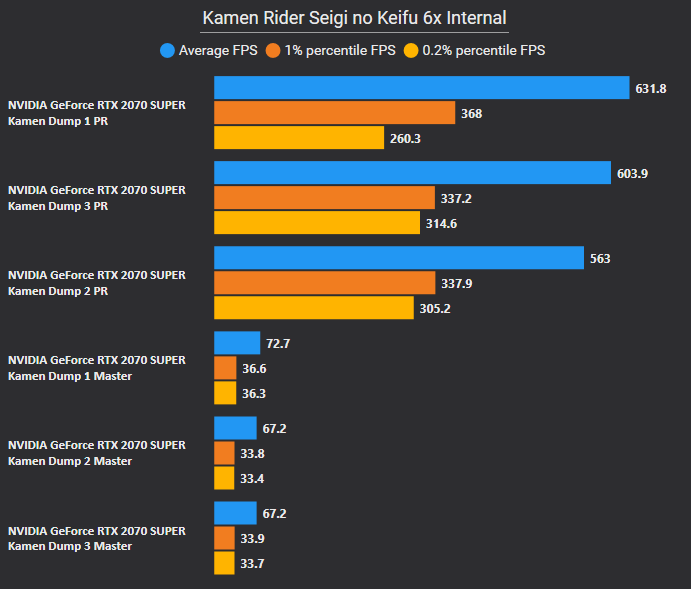
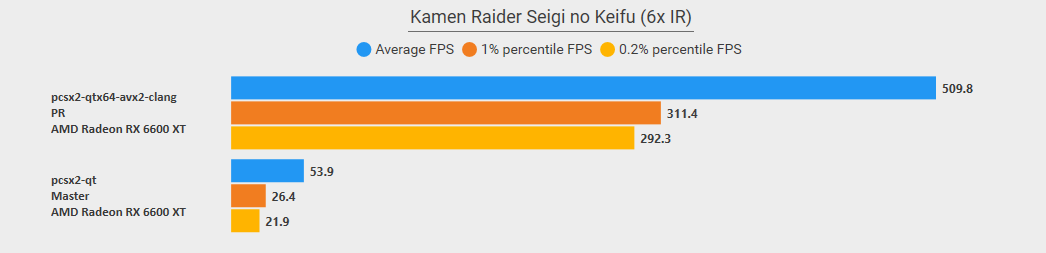
This optimizations cuts out readbacks on some games (Dark Chronicle, Eveybodys Golf/Hot Shots Golf Fore, Kamen Rider- Seigi no Keifu) which brings massive performance boost. Here is more benchmarks:

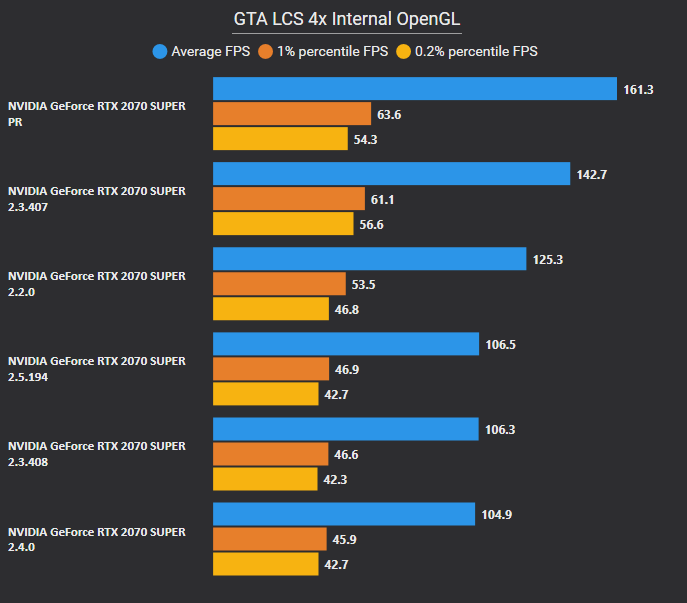
An optimization was found in several loops where we can swap the x and y coordinates resulting in higher performance. This is because how CPU caching works where x is linear memory and y needs to jump around causing a cache miss every time, so by swapping them around it allows us to better use CPU caching.
We also added some extra conditions to avoid going through the loops, as well as some more caching mechanisms for even better performance.
Here are more benchmarks:


In some specific scenarios, draw calls can be skipped when the render target remains unchanged and depth is not written. Expanding these conditions allows us to cancel unnecessary draw calls. This reduces GPU work, barriers, and copies, leading to significant performance improvements in some cases.
Here are even more benchmarks:


With software blending added on Direct3D11/12, we can optimize some features. When software blending is already active, destination alpha testing can be done directly in the shader, which is faster than multiple passes. Texture copies are already enabled, allowing us to reuse them for destination alpha testing and eliminate the extra passes previously needed.
Some optimizations are missing on Direct3D12 like #13525 but will be implemented during the v2.7 dev cycle.

Several fixes have been made to texture shuffle emulation in order to fix some long-standing issues with games.
Handles Texture Shuffle With Pixel Reversals (#13142)
We now detect when a game (Colin McRae Rally 2005) is doing a texture shuffle and (a) flipping pixel locations horizontally in columns and (b) correcting the pixel locations by flipping pixels horizontally again. We can then ignore both flips so that they cancel out. To keep it short, this fixes Colin McRae Rally and it is now playable with no hardware rendering issues.
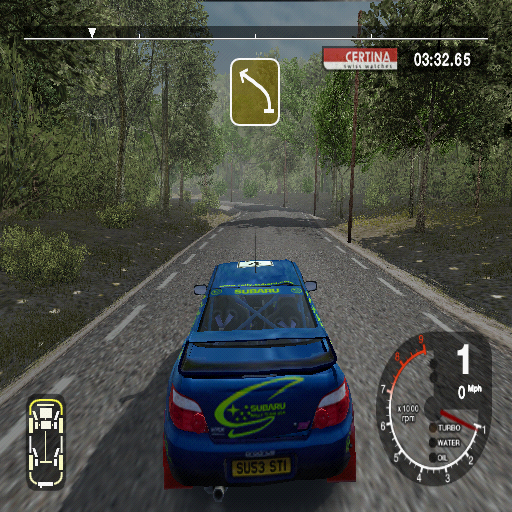
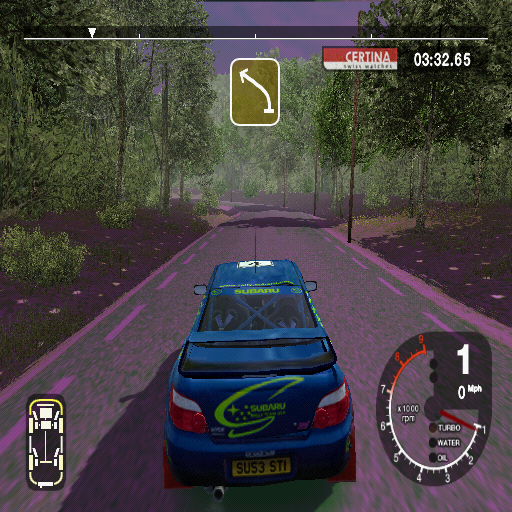
Handles Texture Shuffle Sprite Not 16-pixel-multiple Wide (#13138)
Do special handling for texture shuffling sprites that are not 8 pixels wide or a multiple of 16 pixels wide. Align such sprites to 16 pixel boundaries horizontally. This fixes some issues on Alter Echo.
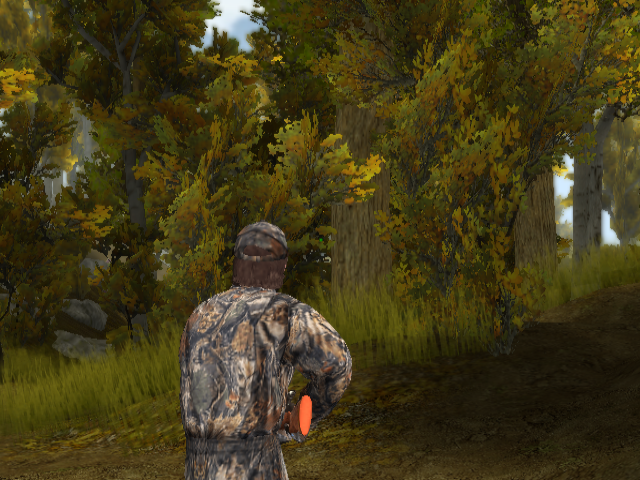
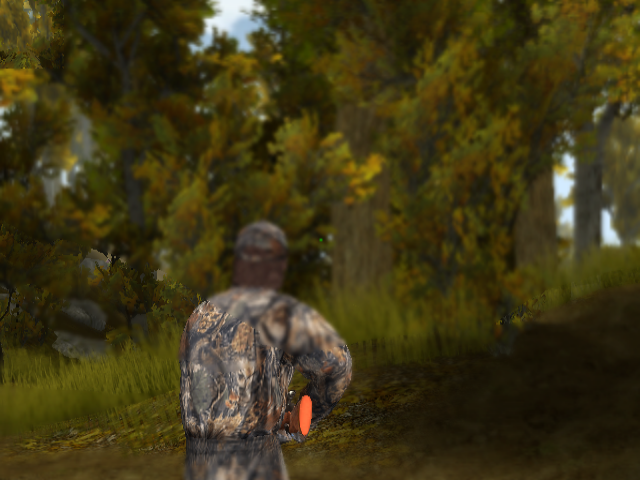
Add CRC for Sand Grain Games Palette Shuffle Effect (#13005)
We have no way to do this effect directly without having 50-100 readbacks per frame, which is very very slow. This emulates the effect they're trying to achieve (G→A shuffle with palette).
This fixes some long-standing issues with Cabela's games, image comparisons below:
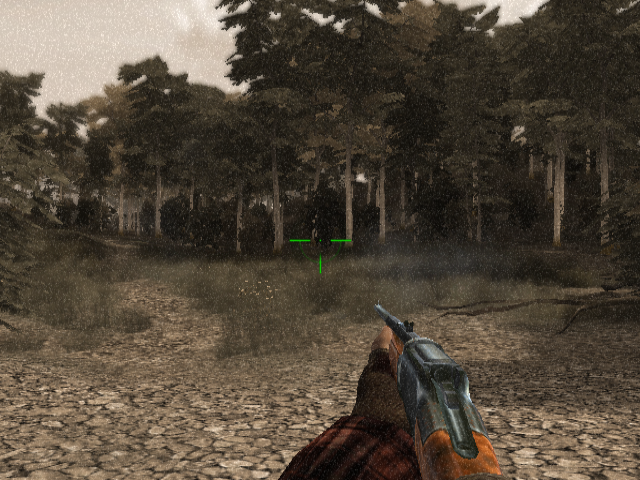
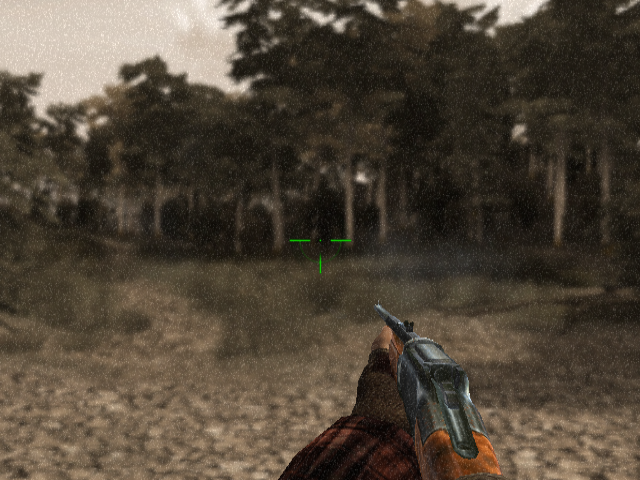
Detect offset shuffle on TexIsFB (#13685)
Updates our “current texture is the framebuffer” heuristics to handle horizontally offset shuffles. This fixes a Timesplitters 2 issue where the wrong data was copied.
The input texture ST coordinates can sometimes be extremely large or NaN, for reasons that aren’t fully clear (it could be due to emulation quirks or game bugs). When these coordinates reach the rasterizer, they can cause issues with calculating vertex trace values, determining texture bounding boxes, and other related computations. These problems may lead to graphical glitches downstream. This PR aims to address these issues by applying the following fixes:
- Add checks in the vertex trace for NaN ST values.
- Add checks in the SW renderer for ST values that would overflow the fixed point format used for texture coordinates in rasterizer.
- Rewrite vertices and clamp the problematic ST values to a value less that the maximum representable by the rasterizer. Rewrite any NaN values to 0.
Here is an example comparison:
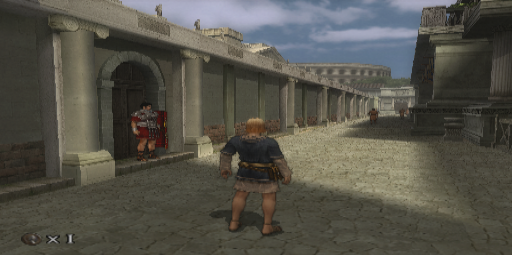
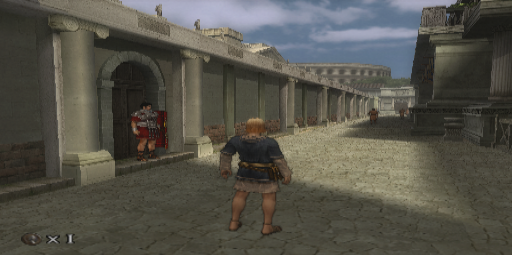
Remove the handling of provoking first vertex in early pipeline. This is mainly for Direct3D11/12 as other renderers usually support provoking first vertex early in the pipeline. This allows us to fix some issues on Direct3D11/12 in some games where provoking first vertex isn't supported.

Various smaller PRs which address crash fixes, bug fixes, regressions and such:
- Improved manual deswizzling detection which fixes some graphical issues on Stolen and shuffle detection. (#13369)
- Adjusts updating render target and depth stencil to improve resizing which fixes Final Fantasy X battle transitions. (#13127)
- Don't split/resize buffer when texture buffer width is 0, fixes Baldur's Gate regression. (#13028)
- Allow full dirty rect on zero age targets. This fixes Kaena graphical issues at the bottom of the screen. (#13084)
- Refactor autoflush handling; detect recursive draw on mipmap layer > 0. This fixes Conspiracy - Weapons of Mass Destruction and Warhammer 40,000 Fire Warrior where lights can be seen through walls. (#13094)
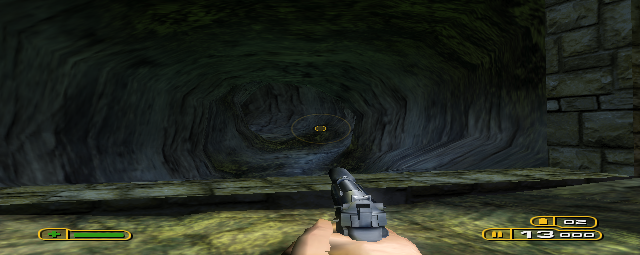
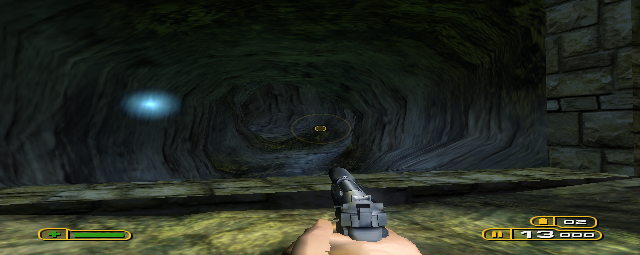
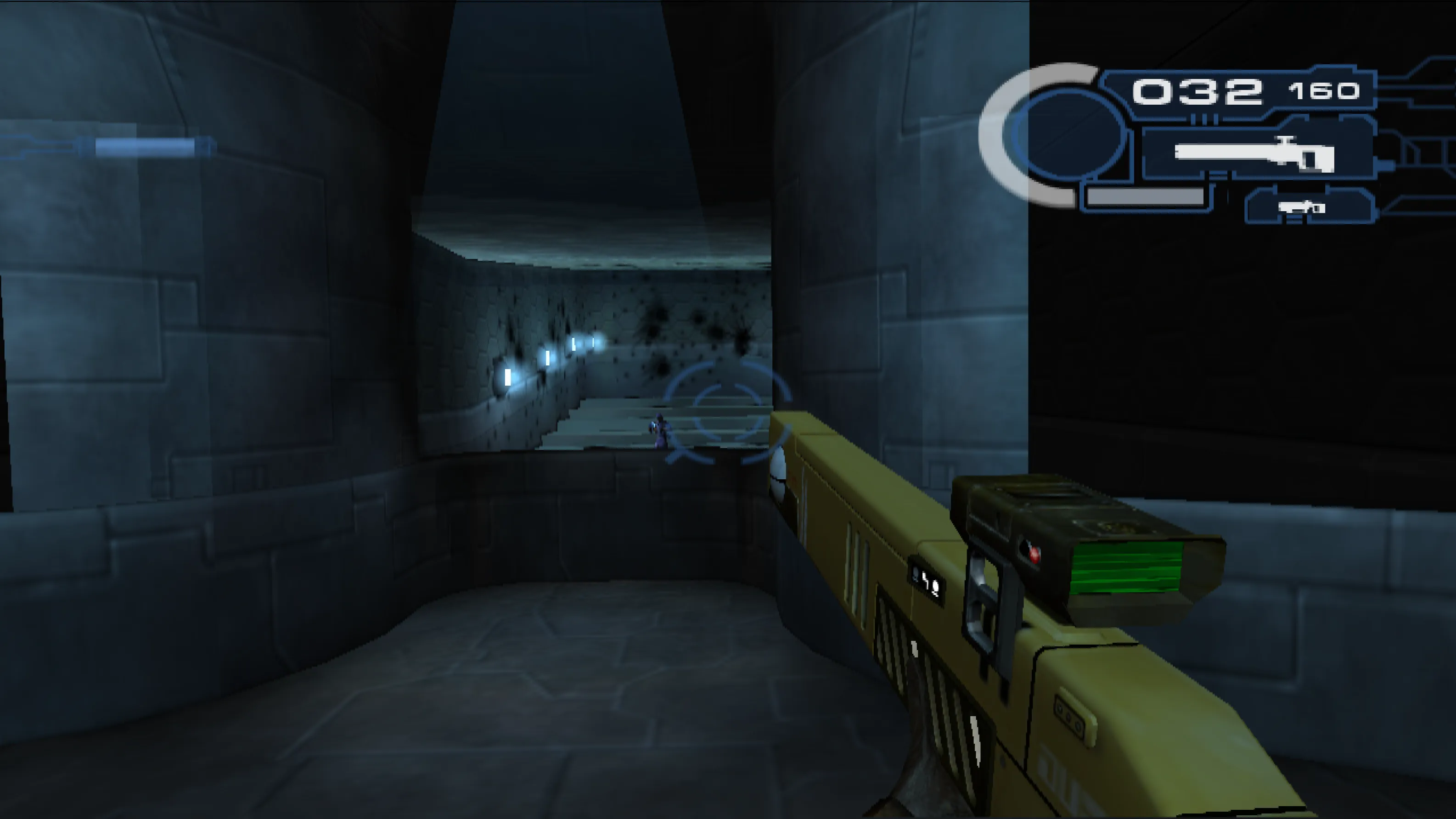
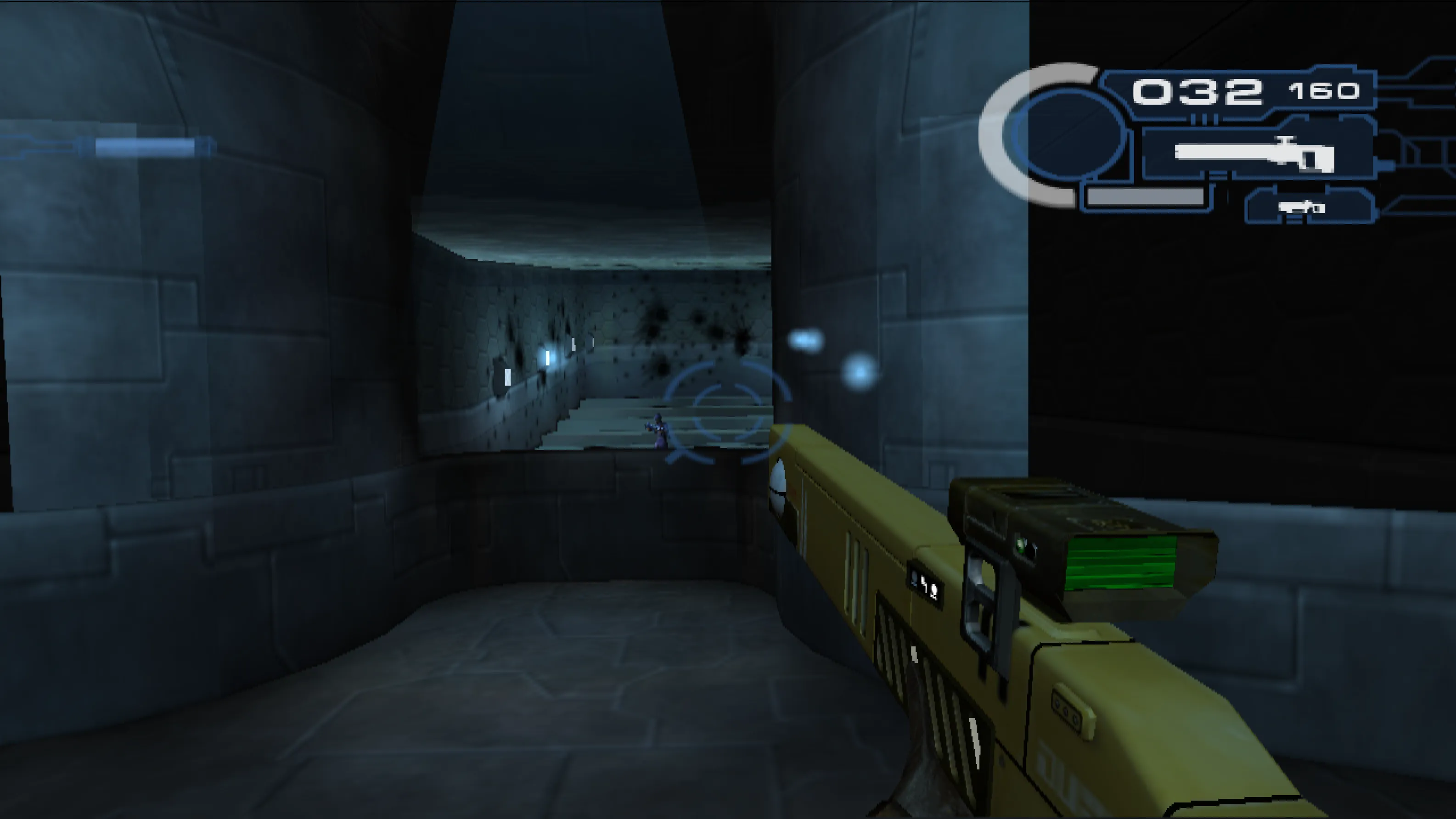
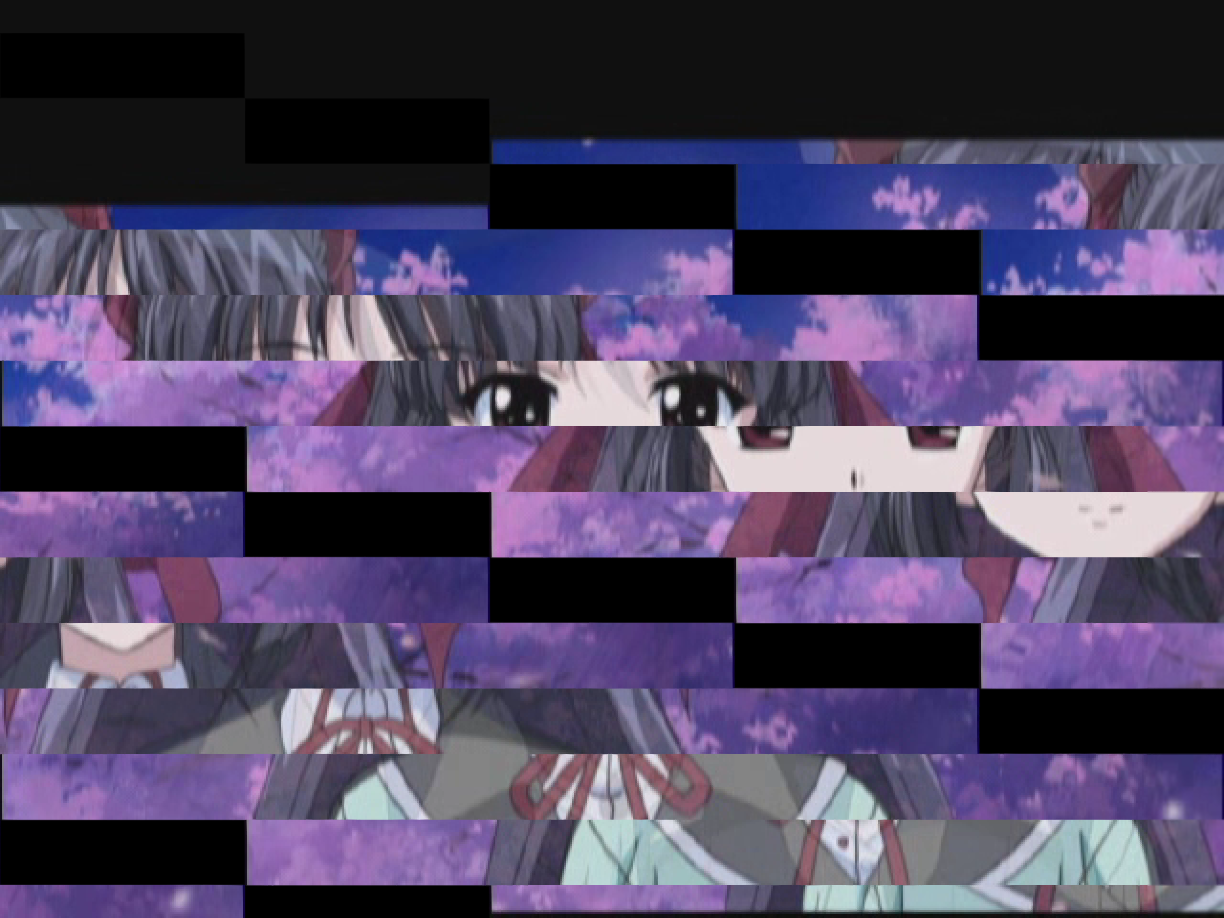
- Ignore output on RC1/2 when the data is not used. This fixes Sakura Setsugekka and Phantom of Inferno rendering issues. (#13300)

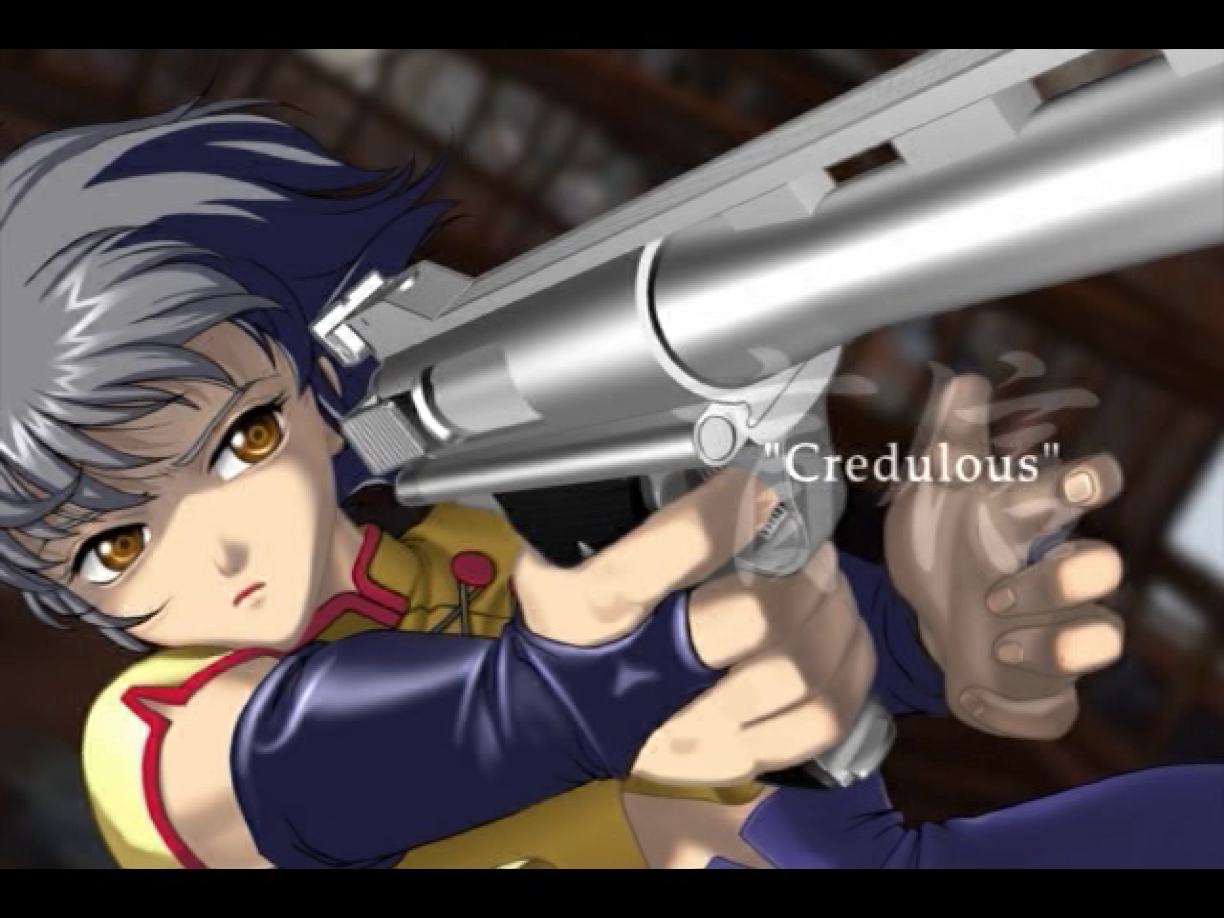
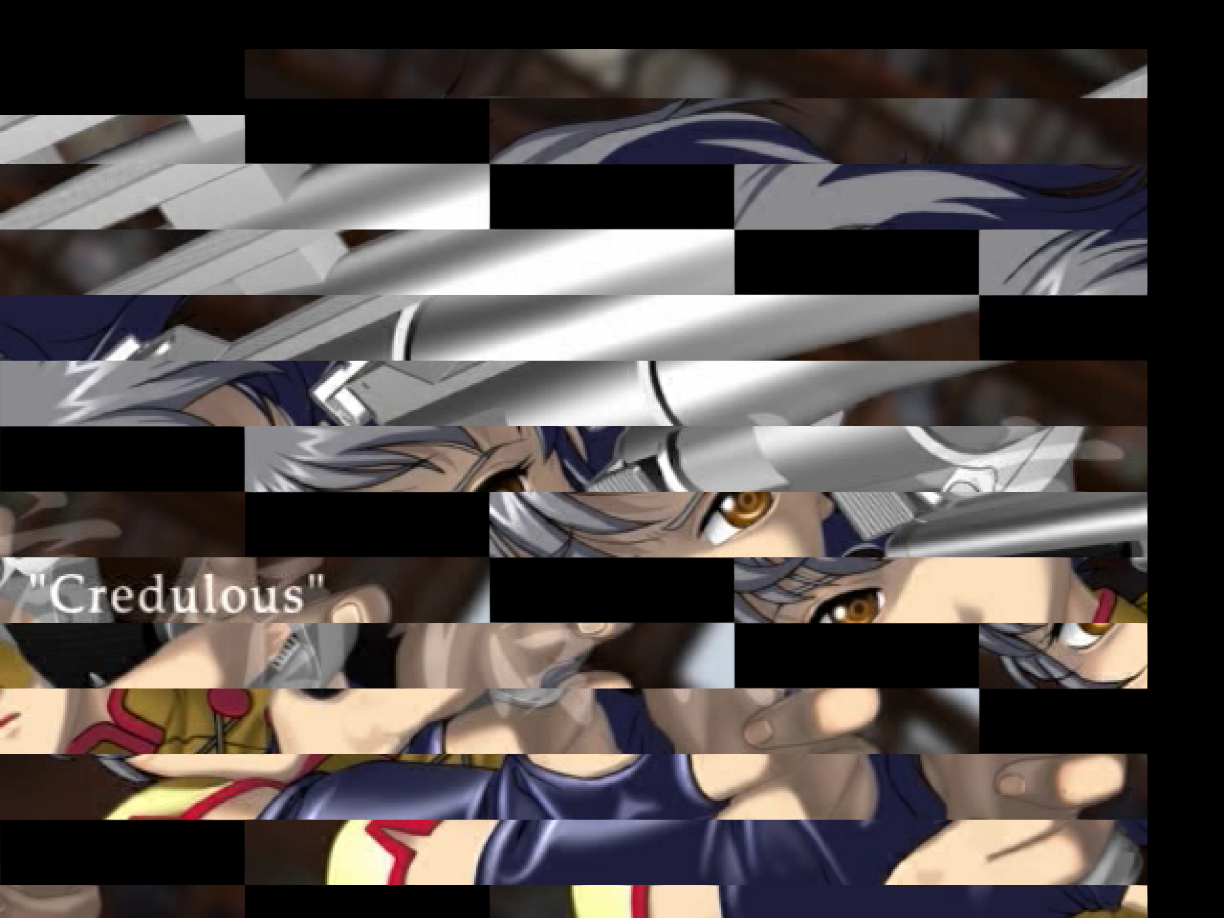
- Fix temp Z and clear detection regressions. Fixes an issue with temporarily offset Z and a clear misdetection. (#12983)
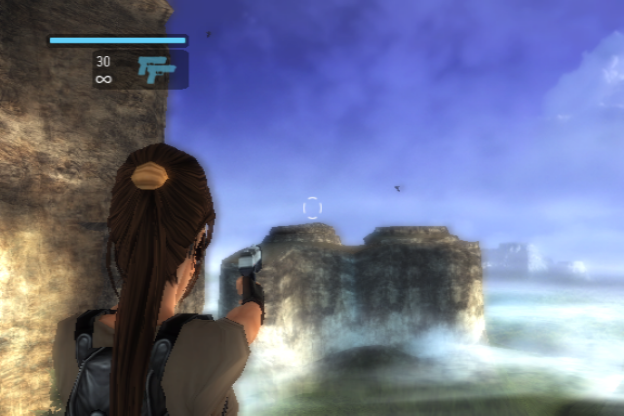
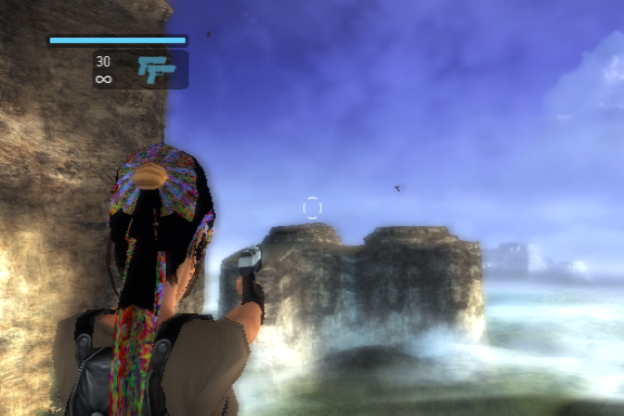
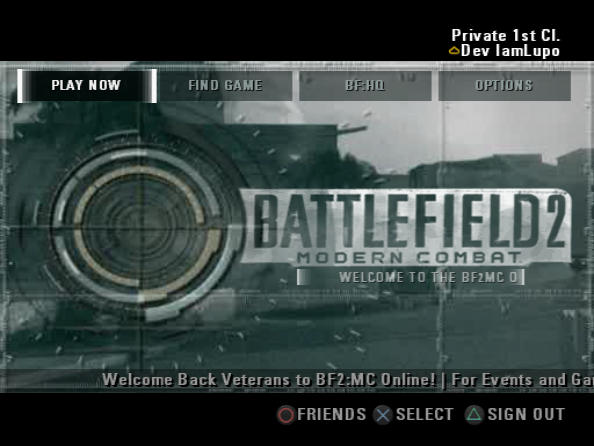
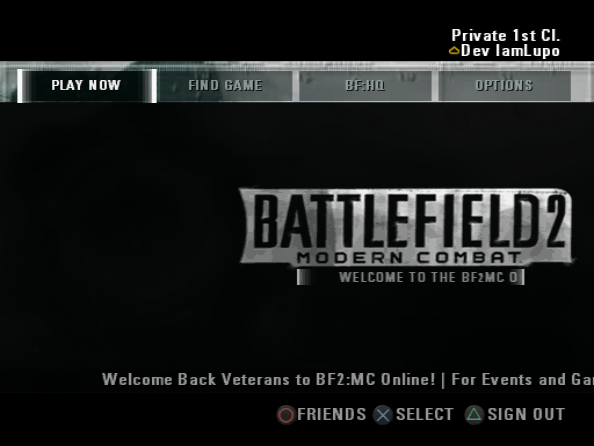
- Fix up invalidly selected Tex in RT targets. Fixes Tomb Raider Legends, Battlefield 2 and Xenosaga III regressions. (#13505)
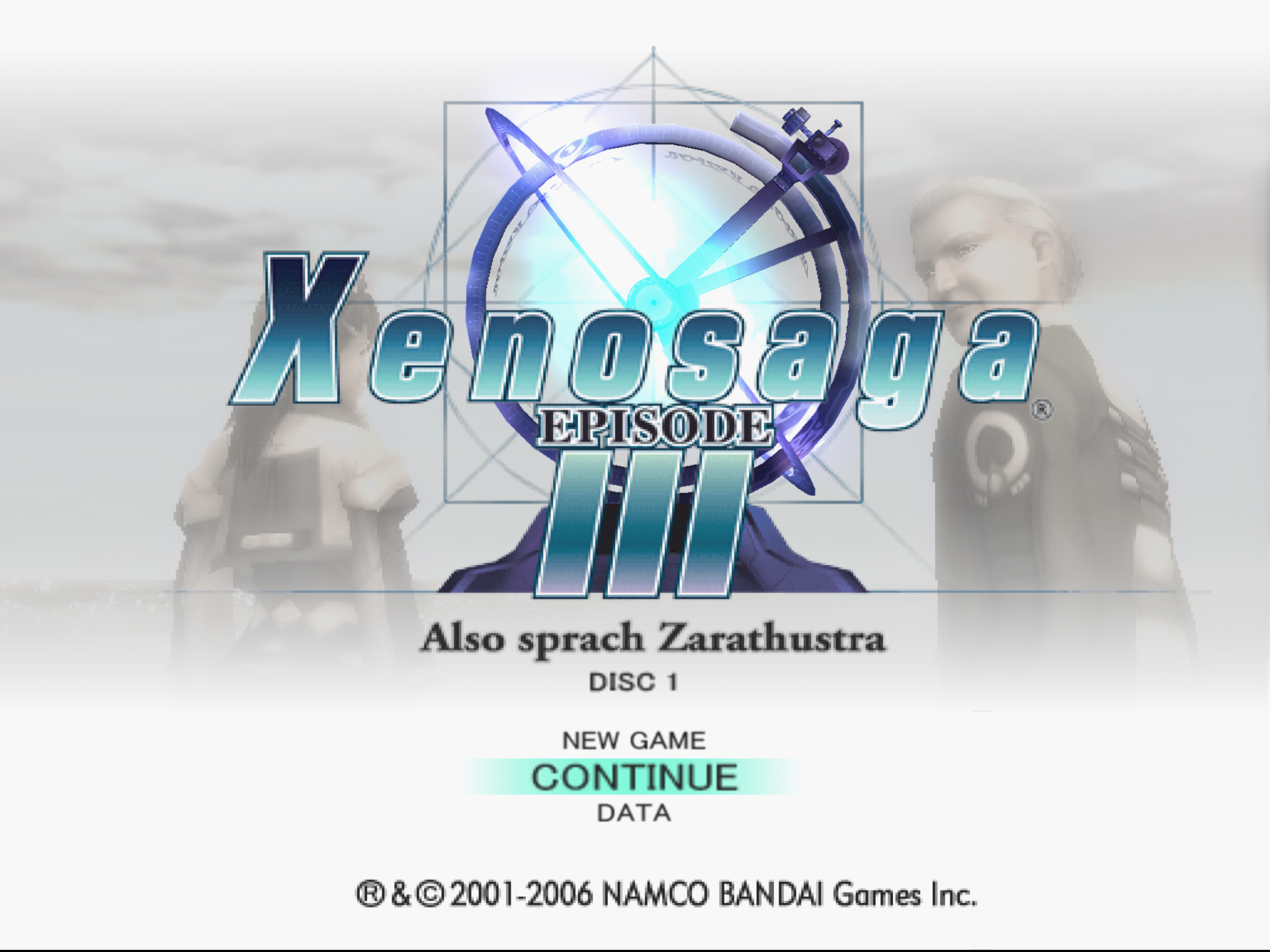
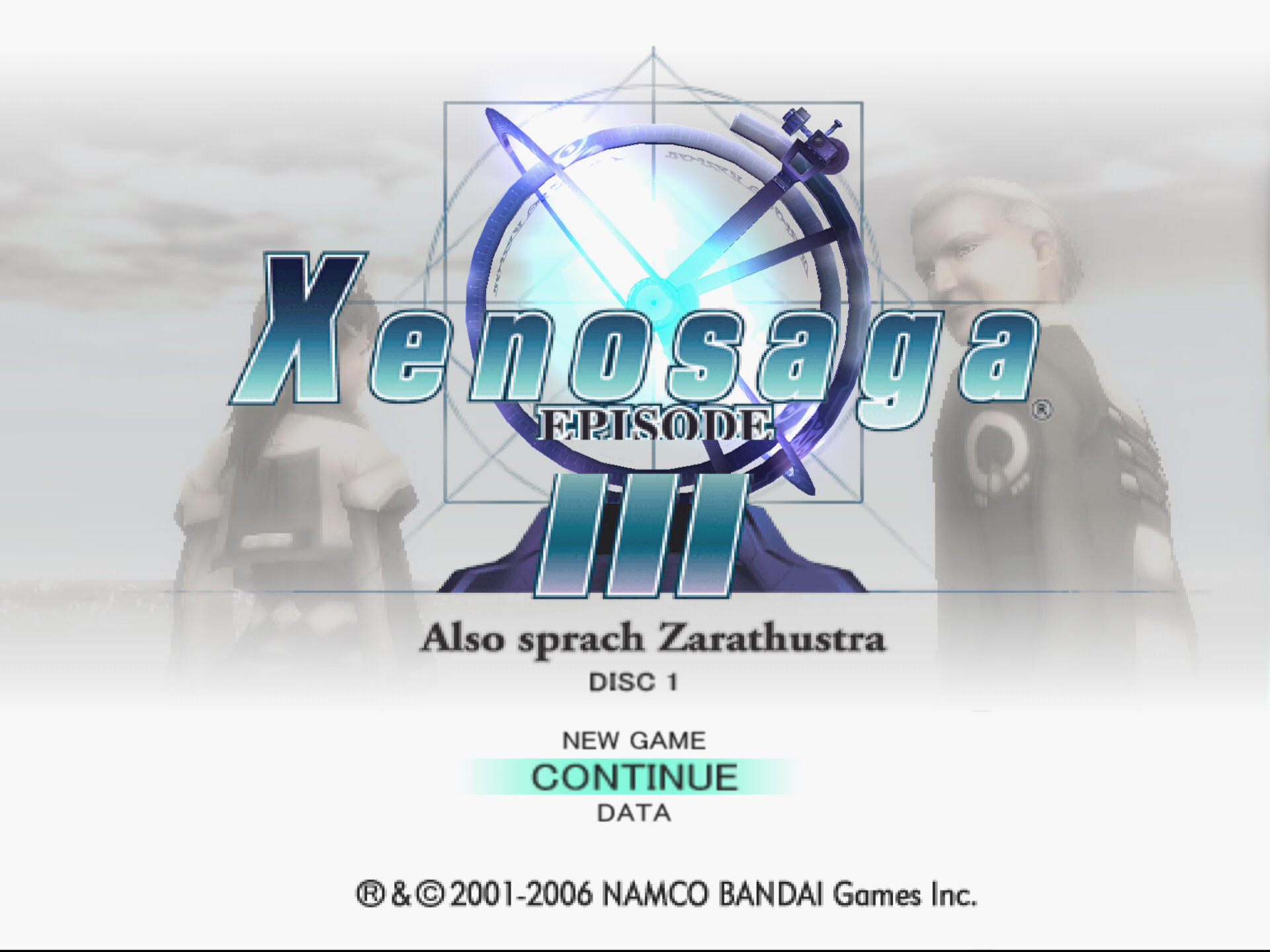
- Use accurate fog equation. Avoids using the
mulhrswinstruction, since it rounds instead of truncating which improves fog emulation in software renderer in some games. (#13171)

It all started with #13613. One of our testers, JordanTheToast had recently upgraded to a Radeon RX 9060 XT. He noticed that resizing PCSX2 while in-game causes massive lag/delay during the resize. This ended up turning into a deep dive that confused the team for days. A look into GPU driver bugs, and the way Qt handles window resize events slowly uncovered the problem.
GovanifY put up a fight (#13614) by fixing the way Qt handles window resizing in order to make it not fire up multiple resize events per millisecond (yes, multiple per millisecond).
Following #13614, it was noticed that smooth rescaling stopped working on NVIDIA. This issue arose from how we handled swapchain recreation on resize. We were accidentally recreating it at the end of the frame, only on the NVIDIA platform.
During resizing, the swapchain would become invalidated between the end of one frame and the start of the next, causing rendering to appear frozen.
The fix was to simply defer recreating the swapchain until the beginning of the frame.
But It doesn't end there...
It was also noticed that RDNA 4 would experience significant delay in resizing even after #13614 was merged.
This was determined to be due to a Vulkan function vkAcquireNextImageKHR taking two seconds to complete following a swapchain re-creation. A workaround for this driver bug was to not link the old swapchain to the new one.
While implementing this fix, support for VK_KHR_swapchain_maintenance1 was added. This may reduce the memory usage from resizing on AMD GPUs with updated drivers. NVIDIA supported the older version we had already been using, so no change is expected there.
Quality of Life Improvements
This addition to PCSX2's menus improves accessibility by allowing screen readers to more reliably navigate the interface. It also significantly improves the order of screen elements when navigating with keyboard keys like tab.
Buddies
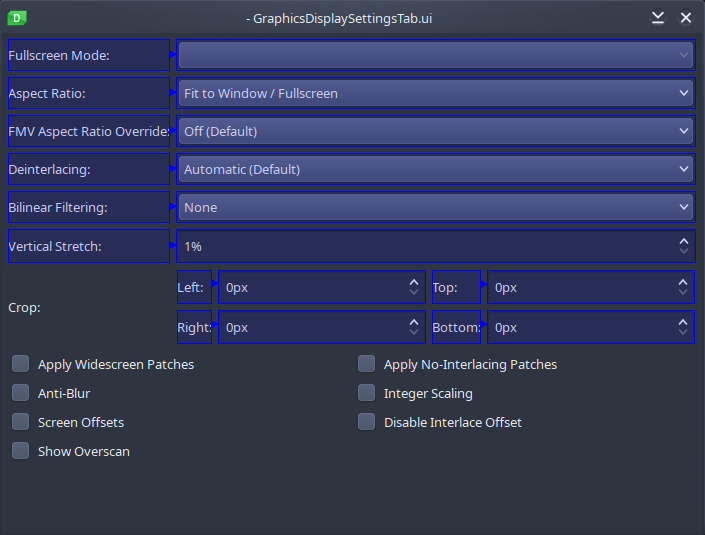
Buddies are properties in Qt which associate a label with an interactive element. This is transparent for most users, but for users with a screen reader this means you can actually tell what an interactive element does. It's a win for accessibility!
For example, focusing a dropdown will just say that you've focused a dropdown without saying what it's supposed to be for – rendering much of our UI totally unusable. With a buddy, it will read out the label on top of the element type. As an example, with buddies the OSD scale option will read approximately as "OSD Scale: Spin Box 100", but without, it will only read "Spin Box 100".
Tabstops
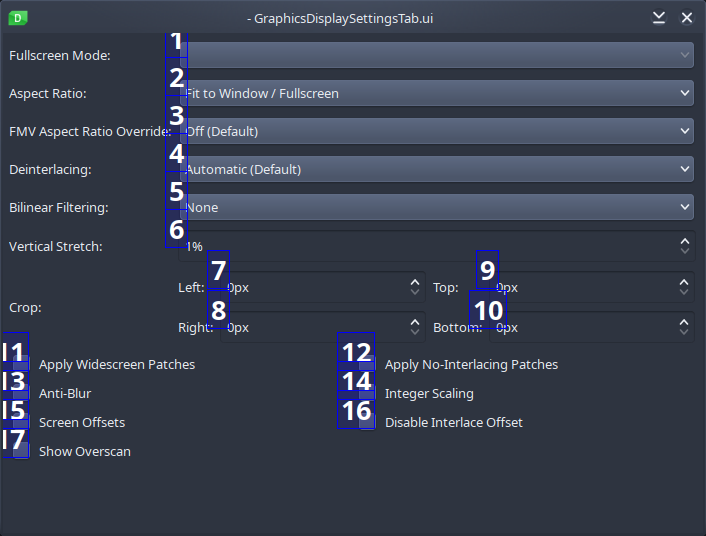
Have you been in a situation where you have to use a keyboard to navigate your way through PCSX2 and found out that the ordering between options are complete nonsense? Tabstops are here to help!
Tabstops are another property of Qt which allow an explicit ordering of elements when tabbing through a widget (i.e. focusing on one element then pressing Tab). Without them, the tab order is subject to the physical ordering of the elements in XML, which does not inherently correspond to the row/column order displayed and is highly unreliable and unrealistic to maintain.
TellowKrinkle, our resident macOS housekeeper, has been working on adding file type associations for some of the file types that can be opened by PCSX2. This includes game dumps (ISO, CSO, ZSO, CHD, etc), save states, GS dumps, PNACH patches, and more.
For a long time, macOS has been stuck on Qt 6.7, due to Qt 6.10 dropping support for older macOS versions. It turns out Tellow discovered that it's trivial to patch compatibility for older macOS versions back into Qt 6.10. The rest is history!
We have enabled Wayland support by default since PCSX2 2.4.0 release and in this cycle, AirGamer has yet again spearheaded the work to improve Wayland support even further. This time we're cutting out the cruft, resolving technical debt, and implementing it the way it was intended with Qt.
For more technical details, previously the way we rendered into a "surface" was to render it to the widget directly. While this was the canonical method for older versions of Qt, the Qt maintainers mentioned that this was not recommended and a newer method was better suited. This has caused some issues, especially with Wayland.
Instead, this new method now uses a Qt Window instead of a Qt Widget, avoiding issues inherited by the previous method and allowing for the removal of a number of Wayland specific workarounds. This further improves Wayland compatibility with PCSX2.
Simplified Wayland Plugins AppImage Bundling (#12864)
linuxdeploy doesn't correctly deploy some Wayland dependencies with the Wayland client modules.
Previously, we manually copied these dependencies into the AppImage. However, it was discovered that specifying the Wayland compositor module will copy the needed client dependencies. This allowed us to simplify our AppImage build script.

Gonzalosilvalde has worked on adding gamma adjustment to shade boost within the post processing options. Adjusting the gamma allows you to intensify the shadows while keeping the overall color balance intact.


SternXD and flavionm have worked on a feature where you can adjust the positions of all overlays inside PCSX2 (such as achievements and OSD notifications).
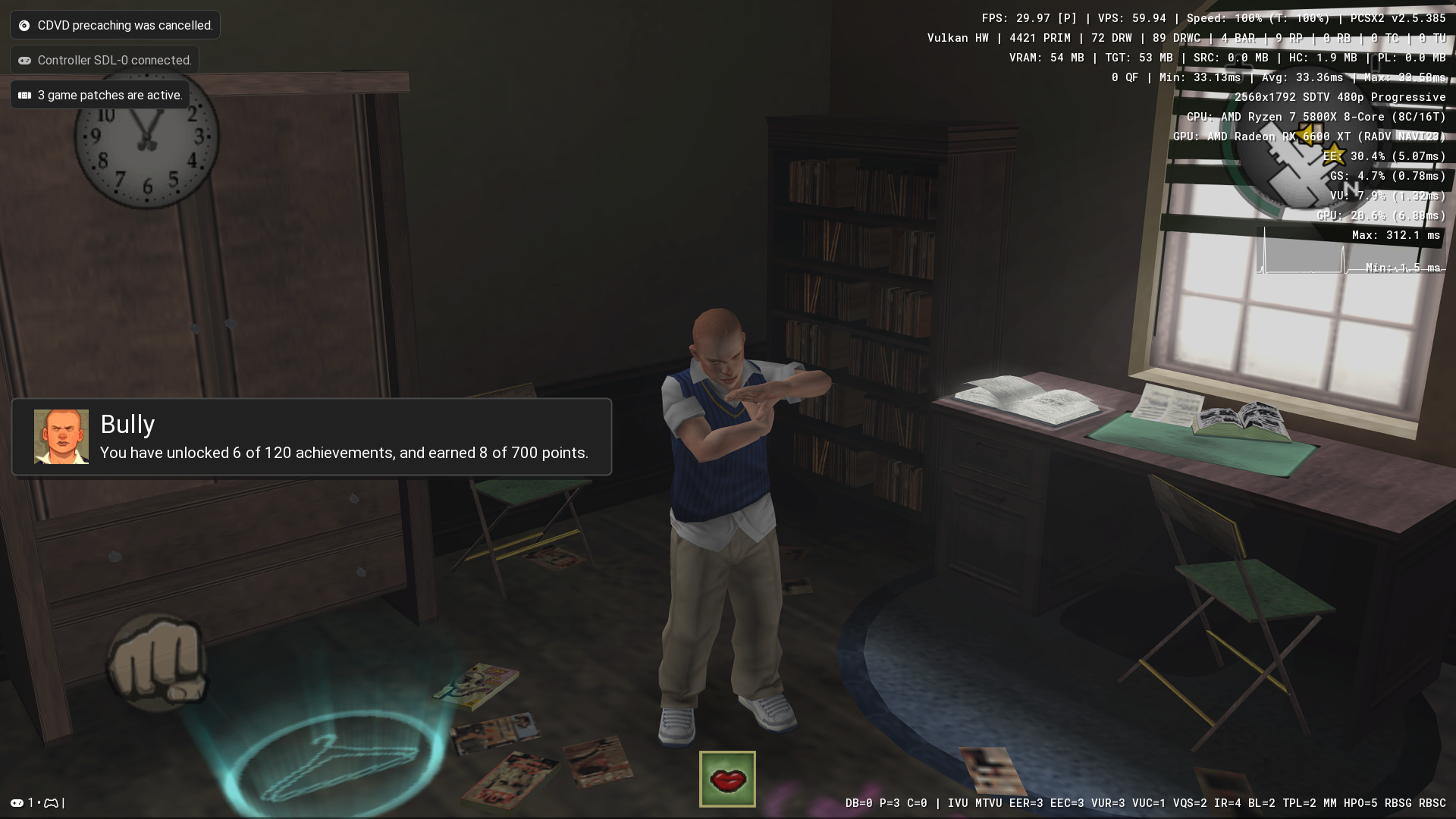

Allow users to swap Memory Cards slot on demand using a hotkey (unbound by default).
To quote Haisom:
This is really useful on shared machines, specially with kids around (Forget kids accidentally overwriting your save games with over 100 hours of gameplay!).

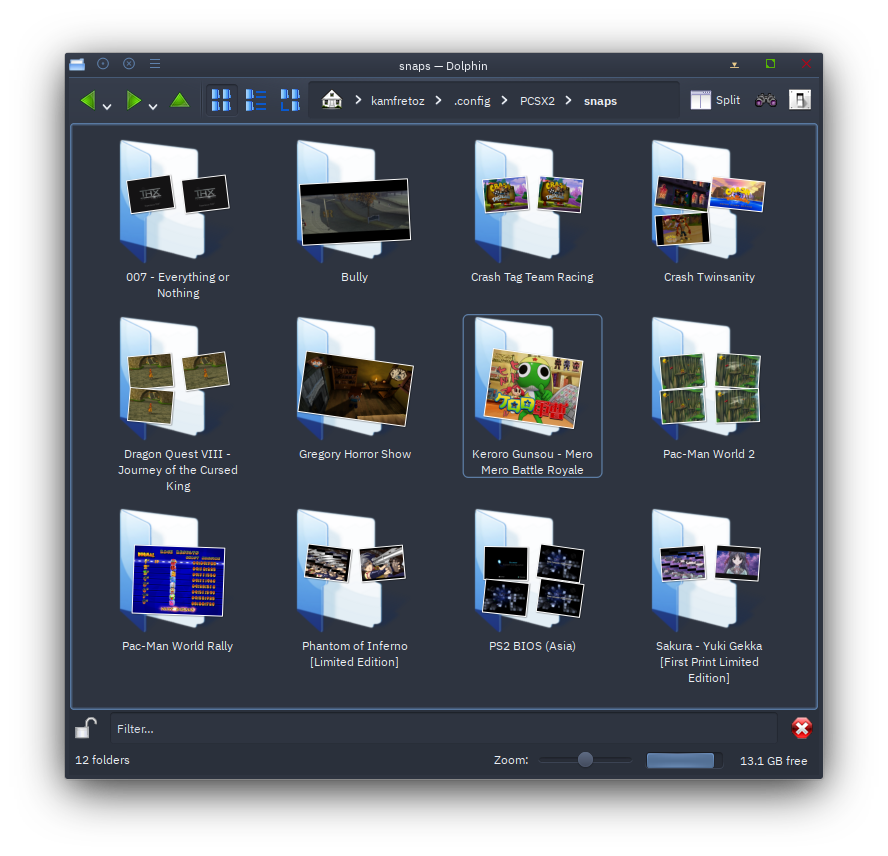
Have you ever been in a situation where your snapshots folder turns into a disorganized mess of recordings and screenshots after you have used these features for a while?
Thanks to fthomys (This is also their very first contribution, thank you!), you can now organize your snapshots folder by game names.
Ever wondered if your texture replacement is working? Tried eyeballing it to no avail? Worry no more! You can now enable the Texture Dumping/Replacement indicator to find out if you have the textures being dumped/replaced correctly.

Various Smaller Improvements in 2.6
For those who want the true living room couch gaming experience, you can now launch PCSX2 directly into Big Picture Mode and start gaming right away!
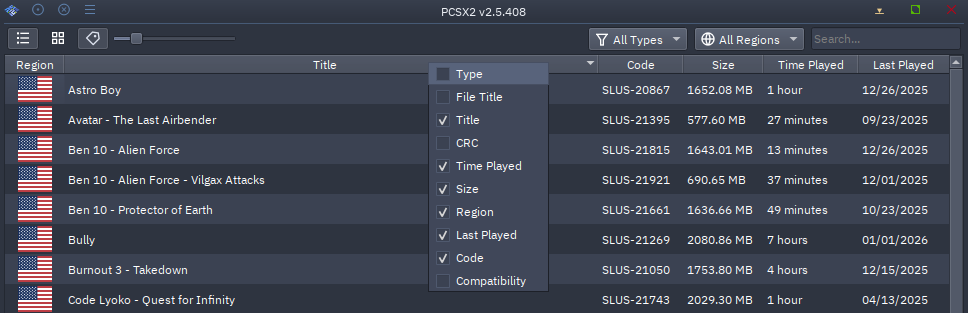
You can now customize the columns of the game list, such as adding/removing and re-ordering the columns as you see fit!

This improves upon #13403 while also fixing issues introduced in the Qt Window update. This fixes mouse lock on setups with multiple monitors using DPI scaling greater than 100%.
Now mouse lock should function correctly regardless of your monitor setup on Windows and Mac.
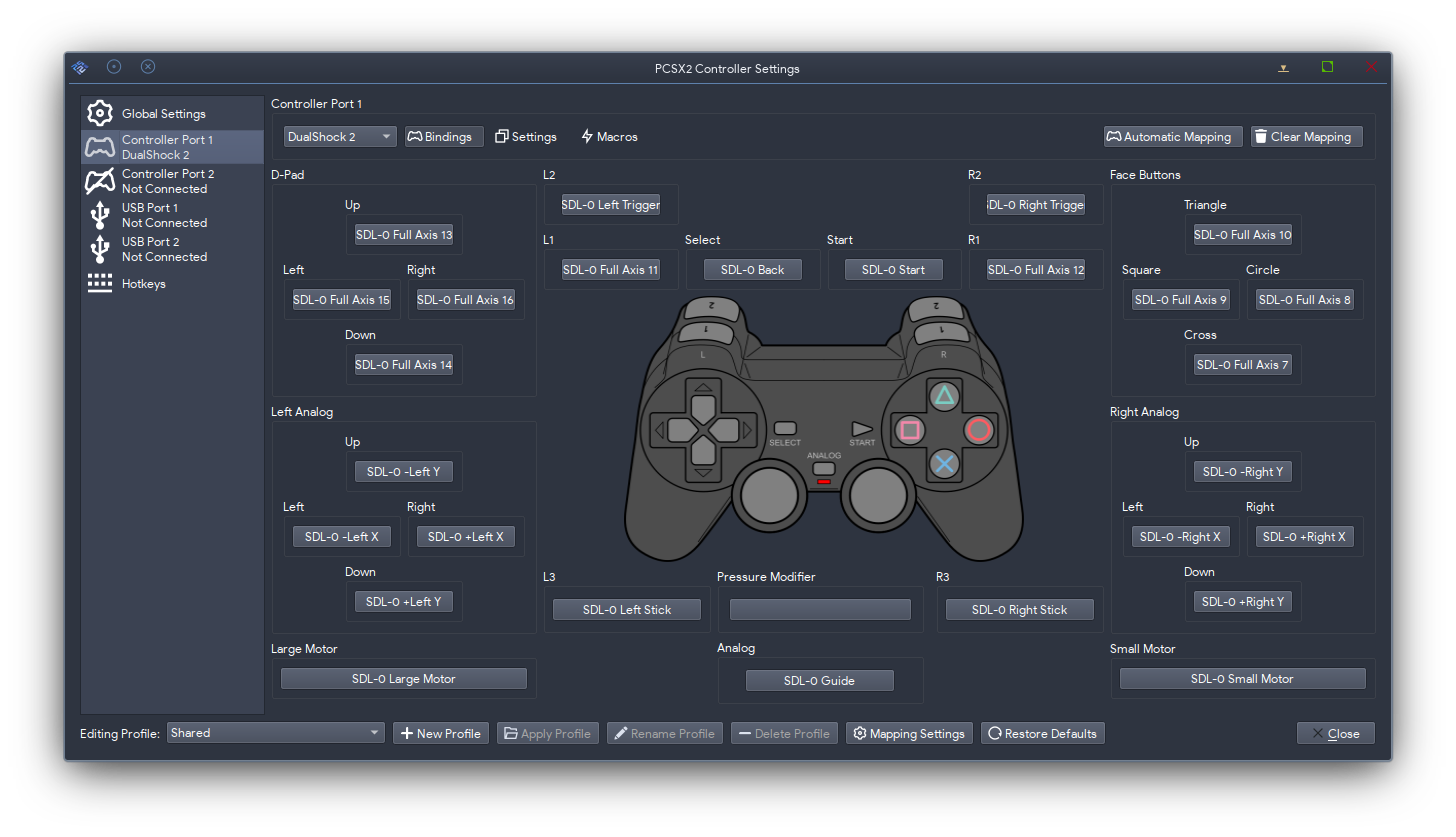
In SDL, a controller has both a joystick instance and gamepad instance (if SDL has a mapping for it). An SDL joystick is just a collection of buttons and axis and an SDL gamepad has those buttons mapped to a standard gamepad layout. In PCSX2 we accept binds for both the gamepad inputs and any joystick inputs that SDL hasn't mapped. You might recognize these as "Axis X +" or Axis Y -".
Previously, we had separate code for loading joystick axis binds and gamepad axis binds, with only the former supporting full axis binds. This change adds support for "Full Axis" gamepad inputs, which should improve support for special input devices which have axes but do not necessarily have a positive and negative direction, such as the pedal on a wheel.
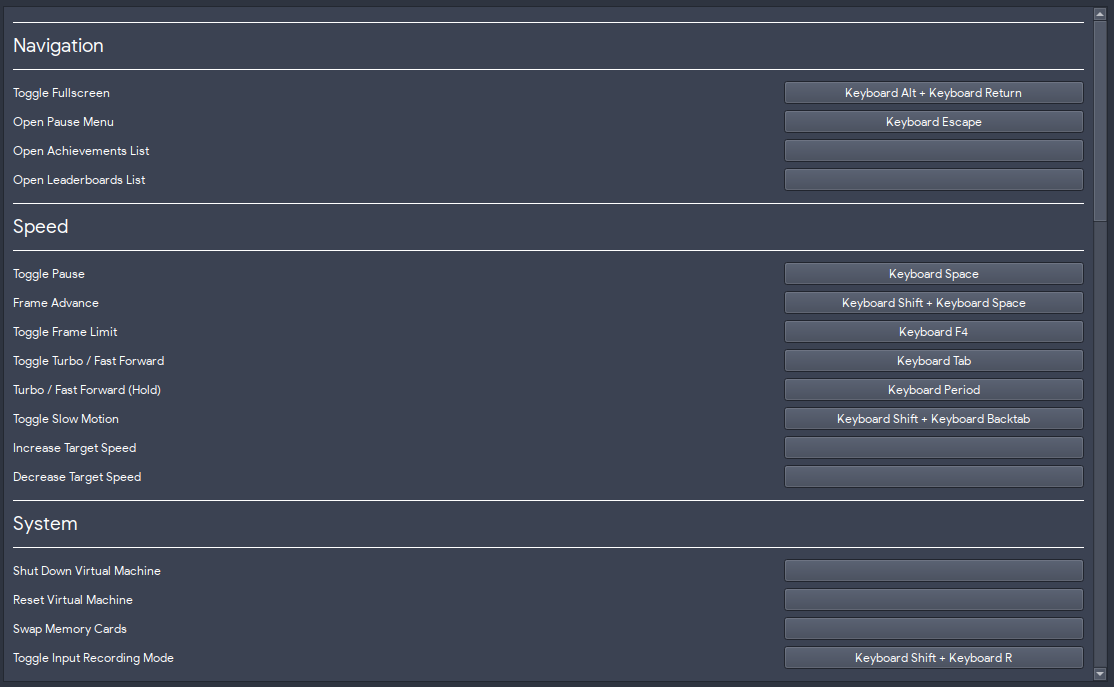
TheTechnician27 worked on rearranging and reorganizing the hotkey section to give you a more cohesive user experience.
This is only a small sample of the changes made for this release! If you are interested in all the other fixes and additions that made it into this release, a full list of commits can be found on GitHub.